
Overview

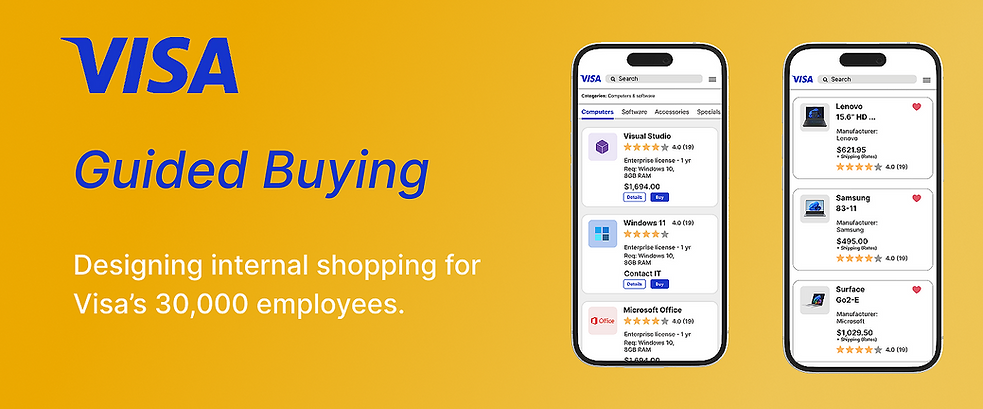
Visa has an internal buying system for its 30,000 employees. The system is called, "Guided Buying."
This system is different from a standard e-commerce system, based on what you could buy as an employee. Sure you could order pencils or a desk, but you could also order onboarding materials, a server room or even a million dollar advertisement for a spot on the Olympics.
Final Designs

After multiple rounds of user feedback and testing, I refined the designs for ease of use. We adhered to the Visa Style Guide, which uses gold and purple from their advertising branding. While these colors weren't optimal for usability, we verified they remained functional using the Stark plugin for contrast testing.


Original Design
A Deeper Dive
My Roles
-
Product Designer
-
Researcher
-
Visual Designer
Deliverables
-
Wireframes
-
Visual Designs
-
Journey Maps
-
Interactive Prototypes
-
Design System
Tools
-
Figma
-
Zeplin
-
Magento

Problems
-
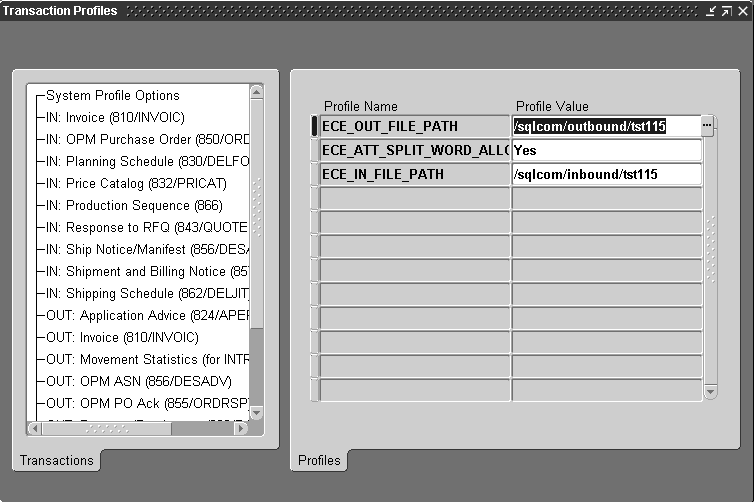
The original e-commerce system was entirely text based (no imagery) and very difficult to use.
-
The system required users to request merchandise based on obscure codes. It was not possible to simply type in the name of an item such as, "ballpoint pen," to bring up results.
-
Users were often timed out of the system.
-
There was no meta-data based on objects. Users could not tell size, color or other features of an item.

Solutions
-
Create a searchable, image based system that leveraged best practices in e-commerce from popular sites.
-
Remove requirement to search for items based on code.
-
Remove or increase time before user is timed out of system.
-
Build system for desktop or mobile platforms.
Research

Requirements Gathering
-
I spent the first week or so of the project interviewing management about the current Guided Buying System.
-
I interviewed twenty (20), users consisting of people stationed locally and around the world.
-
Interviews consisted of canvassing opinions of the current site as well as quantitative testing.
-

Interview Structure
I had users perform basic shopping tasks with the existing version of Guided Buying.
Sample Tasks During Interview
"Try to purchase the following items using the Guided Buying System:
- A new desk
- Onboarding equipment for a new hire such as:
Key card access +new equipment.
- An advertising spot.


Interview Findings

Search:
Search options were very limited compared to other e-commerce sites. User could only search
based on product codes, not names or features.
There were no advanced Search options.
Search Results:
It was difficult to make sense of findings.
Results were simply dense blocks of text with no images.
Additional Pain Points:
Users wanted were unable to find:
- Color and shape of items
- Dimensions and weight of items.
- Total cost of shipping for orders.
Personas
Based on interviews, I created three ( 3 ) personas for Guided Buying, namely: An Attorney, A Data Entry Technician and a Manager.
With these personas we could ask questions during the development process such as,
"Is this how Emma would shop for a chair?"

Journey Maps
Once I completed the interviews, I proceeded to map out user journeys for a variety of employee types.

This is a simplified journey map that only depicts, "Sunny Day Scenarios."
To display Rainy Day Scenarios would have required additional time that we did not have in the budget.
This journey map was tested against proposed designs to make sure the UI hit key
touch points in the shopping process.
Best Practices
Competitive Analysis of E-Commerce Sites
I evaluated a number of popular e-commerce sites shown below.
Sites were evaluated for ease of use on purchasing office equipment and related items.

Image: Some E-Commerce Competitors

Takeaways from Site Evaluations
- Make Search easy to find and use.
- Provide large product images.
- Break the Landing page into nice, "easy to digest," categories.
- User should be within three ( 3 ) taps from any given product.
Flow Diagram of Use Cases
With interview data in hand, I proceeded to mock up flows for internal shopping.

Image: General Flows
User Testing - A Warm Reception
Landing Screen
Users preferred the new landing screen as an alternative to the original
Guided Buying table, (93%).
Users noted the more contemporary
visual design was easier to use and find
items of interest, (96%).
Users approved of Visa’s general categories
finding they:
- Made more sense than the old designs.
- Were easy to navigate.
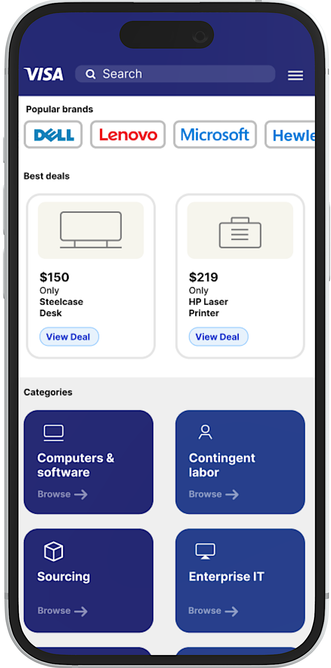
Image: Mobile Landing Screen
Product Lists
Users found the Tabs that separated hardware from software easy to navigate.
Reasons users liked the Grid layout:
- Could navigate product views.
- Easily view product information.
- Users could see product reviews.
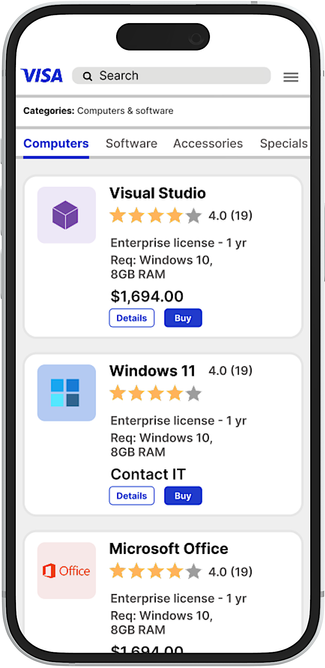
Image: Mobile Product Screen

Usability Tests - Before & After
Subjects went through two rounds of testing.
- First round was to perform shopping tasks with original Guided Buying UI.
- Weeks later, users were then tested for tasks using clickable prototype of the new UI.

Image: Usability Test Results

Business Needs Addressed (OKRs)
-
Improve ease of use on all purchases.
-
Apply best practices from leading e-commerce sites.
-
Provide improved desktop and mobile experience for users.

Next Steps
User feedback has been overwhelmingly positive.
There are still a few places however, where the system could use improvement.

Typography
We are constrained by Visa's Style Guide requirements on what font we can use for Guided Buying. Ideally, I'd like to use a font that causes less eye strain such as Open Sans or San Francisco.

Imagery
Future iterations of the experience may wish to invest in photography. Much of the product catalog uses stock photography from vendors. This might lead to some poor visual assets.
